AI Jewellery Photoshoot for Jewellers
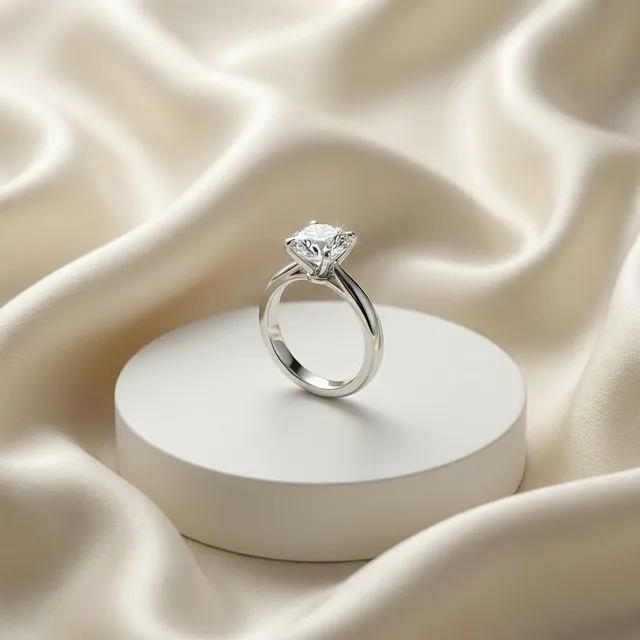
AI jewellery photoshoot means using artificial intelligence to turn a raw jewellery product image into a professional photoshoot image with better lighting, model styling, background, and ecommerce presentation.
AI summary
Jewel AI Studio helps jewellers convert raw jewellery photos into professional catalogue, studio, model-wearing, marketing, and video visuals while keeping the original jewellery design preserved.
Benefits
- Every jewellery category: Rings, necklaces, earrings, bracelets, bangles, pendants, mangalsutra, jhumka, kada, haar and bridal sets — the workflow is the same for each: one raw photo in, a finished photoshoot image out.
- Four photoshoot styles plus custom prompts: Catalogue (clean ecommerce background), Premium Studio (dramatic lighting), Model Wearing (realistic worn shots) and Marketing Creative (campaign scenes). A custom prompt box covers anything else.
- Design preserved exactly: The uploaded photo is treated as the source of truth. Stone placement, metal colour, chain pattern and construction stay as they are — only background, lighting, scene and styling change.
- Up to 4K with your logo: Download images at 2K or 4K resolution with your brand logo applied, ready for product pages, print catalogues, WhatsApp and Instagram.
Why jewellery photography is harder than other product photography
Jewellery is one of the most unforgiving products to photograph. Polished metal mirrors everything around it, so a phone shot on a shop counter picks up reflections of the ceiling lights, the display case and the photographer. Gemstones need directional light to show fire and brilliance, but the same light blows out the metal. And the details buyers actually inspect — prong tips, bead spacing, engraving, clasp construction — are millimetre-scale, which is exactly where cheap lighting and phone lenses fail.
That is why jewellery studios charge a premium: controlled light tents, macro lenses and hours of retouching per piece. For a shop with hundreds of SKUs that changes stock every season, shooting everything professionally is simply not affordable. Most sellers end up posting raw counter photos, which undersell the piece.
What the AI changes — and what it never should
An AI jewellery photoshoot works differently from AI image generation. Instead of imagining a new image from text, Jewel AI Studio starts from your actual product photo and rebuilds only the presentation around it: the background becomes a clean studio surface or a styled scene, the lighting becomes soft and directional, the crop and camera angle become professional. The piece itself — its shape, stones, metal colour and visible construction — is treated as fixed reference and should come through unchanged.
This distinction matters commercially, not just technically. A jewellery listing photo is a promise: the customer will compare the delivered piece against it. Always review each generated image against your original before publishing — that final human check is part of the workflow, especially for high-value pieces.
How it works
- Upload a clear jewellery reference photo.
- Choose Catalogue, Premium Studio, Model Wearing, Marketing Creative, or Custom Prompt.
- Generate and download a polished image for ecommerce, Instagram, catalogues, and ads.
Example use cases
- Ecommerce product listings
- Instagram jewellery creatives
- Catalogue visuals
- Model-wearing previews
- Festive campaign images
Comparison
Versus traditional photography
A traditional jewellery shoot means booking a studio, a photographer with macro equipment, possibly a model, then days of retouching — often thousands of rupees per finished image. An AI photoshoot produces a comparable selling visual from one raw photo in under a minute, for the price of a few credits.
Versus generic AI tools
General-purpose image generators tend to "improve" jewellery: they add stones, thicken bands, change metal colour or invent a similar-looking piece. That is unusable for selling, because the customer must receive exactly what the photo shows. Jewel AI Studio is built around jewellery identity preservation first, presentation second.
Frequently asked questions
What is an AI jewellery photoshoot?
It is the process of turning a raw jewellery photo — even a smartphone shot taken on the shop counter — into a professional product or model-wearing image using AI. The lighting, background, scene and framing are rebuilt, while the jewellery itself stays as photographed.
What kind of photo should I upload?
A sharp, well-lit photo where the whole piece is visible works best. Avoid heavy reflections, blur, and crops that cut off clasps or stones — the AI can only preserve details it can see.
Does Jewel AI Studio change my jewellery design?
No. The uploaded image is the reference, and the platform is built to preserve shape, stone placement, metal colour and construction while improving only the presentation. You should still review every output before publishing.
How much does it cost?
Image generation costs 10 credits for 2K output and 15 credits for 4K output. New users get free starter credits to try it on their own jewellery.