AI Necklace Photoshoot
Generate professional necklace visuals from a raw necklace photo. The AI can improve presentation, model styling, surface, lighting, and background while preserving the original chain and pendant details.
AI summary
Jewel AI Studio helps necklace sellers create studio and model-wearing necklace visuals while keeping chain length, pendant shape, bead spacing, links, and metal finish faithful to the uploaded image.
Benefits
- Chain and pendant fidelity: Link pattern, chain length, bead spacing, pendant shape and clasp type from your photo are the reference — the AI restyles the scene, not the necklace.
- Natural drape on the neck: Model-wearing outputs lay the necklace with a realistic curve and fall on the neckline, instead of the stiff flat lay of a counter photo.
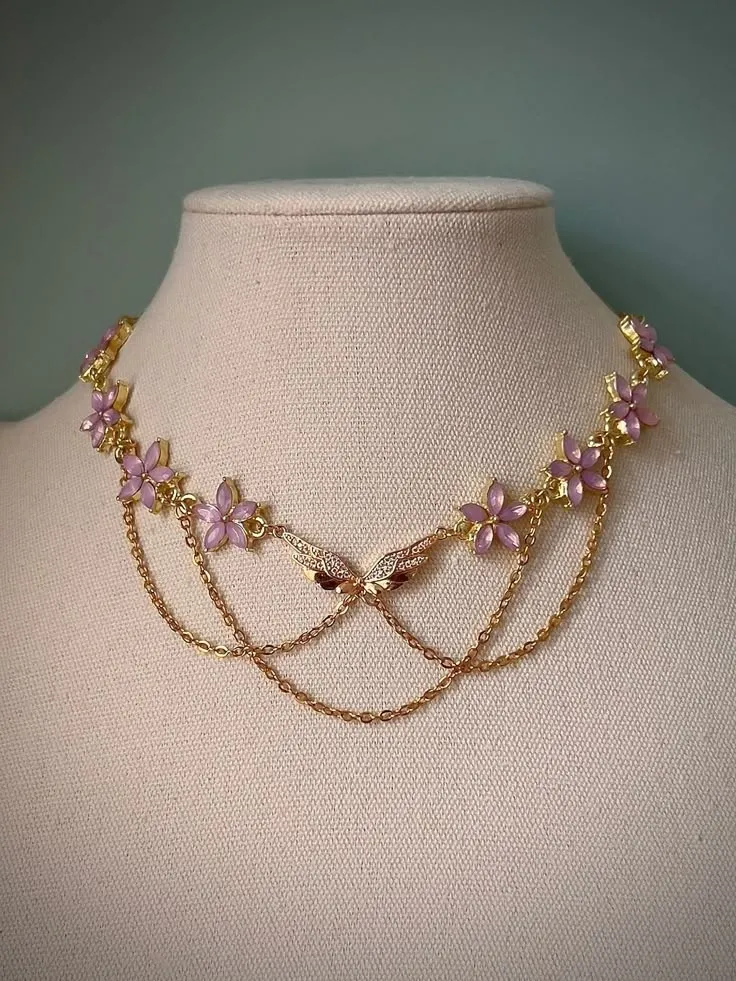
- Works from mannequin or flat-lay photos: Most shops photograph necklaces on a bust or velvet tray. Both work as references for catalogue, studio and model outputs.
- Neckline styling you control: Describe the blouse, dress or saree neckline in the prompt so the necklace is presented the way your customers will actually wear it.
The drape problem in necklace photography
A necklace photographed flat on a tray tells the buyer almost nothing about how it sits when worn: whether the chain falls at the collarbone or below it, how the pendant hangs, how a multi-strand haar layers. Traditionally the only fix was a mannequin bust — better, but still lifeless — or a paid model shoot. That is why necklace listings convert noticeably better with worn shots, and why they are the most requested output for this category.
From a single mannequin or flat-lay reference, the Model Wearing style produces a shot of the necklace on a realistic model with natural drape at the correct length. The chain pattern, pendant and clasp come from your photo; the neck, styling and lighting are generated around them. For catalogues, the same upload gives a clean straight-on product shot with the chain arranged evenly.
Getting the best reference photo
Photograph the necklace fully open, with the pendant centred and the chain untangled — on a bust if you have one, otherwise flat on a plain surface. Make sure the clasp and the full chain length are in frame: if the reference is cropped, the AI has to guess what it cannot see, and guessing is exactly what you do not want in a product photo.
How it works
- Upload a necklace image.
- Choose catalogue, premium studio, model wearing, or marketing creative.
- Download the result for store pages and social media.
Example use cases
- Necklace product listings
- Model neck photos
- Pendant campaign visuals
- Luxury brand lookbooks
Frequently asked questions
Will the chain length look correct on the model?
Yes — outputs are scale-guided so a choker sits like a choker and a long haar falls like one. Verify the drape against the real piece before publishing, as with every generated image.
Can I upload a photo of the necklace on a mannequin bust?
Yes, mannequin photos are a very good reference — the drape is already realistic, so the AI mainly replaces the bust with a model and improves lighting and scene.
Does it work for heavy bridal and temple necklaces?
Yes, including multi-strand and layered pieces. The more clearly your reference shows each strand, the more faithful the output.
What does it cost?
Necklace images cost the standard 10 credits at 2K or 15 credits at 4K.