AI Ring Photoshoot
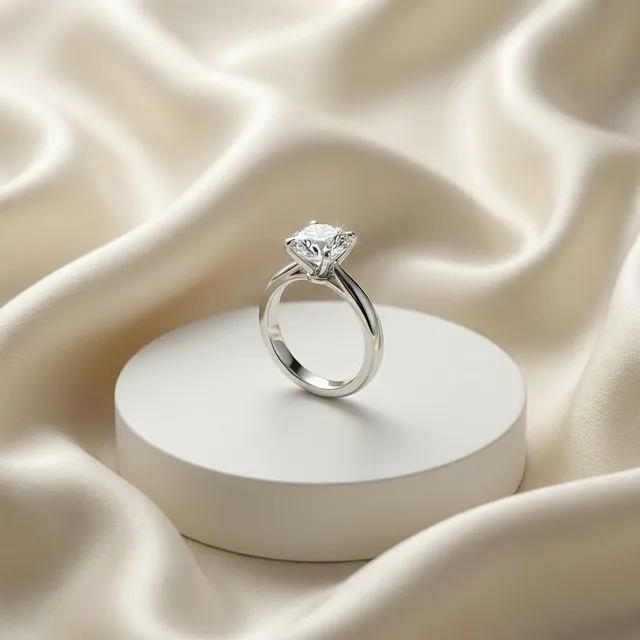
Create professional ring photography from a normal ring photo. Jewel AI Studio improves lighting, background, hand/model context, and sales presentation while preserving the exact ring design.
AI summary
Jewel AI Studio can create catalogue, studio, and on-hand ring visuals from a raw ring photo while keeping the band, stone placement, prongs, setting, and metal color locked to the reference.
Benefits
- Prong and stone fidelity: Rings are inspected at macro level. The band profile, prong count, stone shape, setting style and metal colour from your upload are treated as fixed — the AI rebuilds only the scene around them.
- True on-hand scale: Model-wearing outputs place the ring on a realistic hand at believable finger proportions, so a delicate solitaire does not suddenly look like a cocktail ring.
- Catalogue whites and luxury studio: Generate clean white-background shots for marketplaces and dramatic dark-studio shots for premium pieces from the same upload.
- Built for engagement and bridal sellers: Solitaires, couple bands, cocktail rings and bridal sets — categories where buyers zoom in hardest and photo accuracy matters most.
Why rings are the hardest jewellery to photograph
A ring is a small, highly reflective object with detail concentrated in a few millimetres: prong tips, the girdle of the stone, milgrain on the band, engraving inside the shank. A phone camera at close range struggles to keep all of that in focus, and shop lighting turns polished gold into a mirror of the room. The result is the classic counter photo — a piece that looks dull online but brilliant in person.
The AI photoshoot approach works from whatever detail your reference photo shows. Upload a sharp, slightly elevated three-quarter view where the stone and band are clearly visible; the output then keeps that geometry while replacing the counter background with a studio surface, adding soft directional light that brings out the stone without blowing out the metal.
Catalogue shots versus on-hand shots
Use catalogue-style outputs for marketplaces and product grids — buyers expect a consistent white or neutral background and a straight product view. Use on-hand model shots on the product page itself and on Instagram, because scale is the number-one question ring buyers have: how big does it actually look worn? A realistic hand shot answers that instantly and measurably improves enquiry quality.
How it works
- Upload a focused ring image.
- Select catalogue, studio, model-wearing, or marketing style.
- Review the final ring image and download it for product pages or social media.
Example use cases
- Engagement ring listings
- Diamond ring ads
- On-hand scale previews
- Luxury studio ring images
Frequently asked questions
Will the stone count or setting change in the output?
The platform is built to preserve them exactly as photographed. Because buyers inspect rings so closely, you should still compare each output against your original — stone count, prong count and metal colour — before publishing.
Can I get the ring shown on a hand?
Yes. Choose the Model Wearing style and the ring is placed on a realistic hand at true-to-life scale. You can describe skin tone, nail styling and pose in the prompt.
What ring photo should I upload?
A sharp three-quarter view with the whole ring in frame works best. Avoid extreme close-ups that crop the band and shots with heavy glare on the stone.
What does a ring image cost to generate?
10 credits at 2K or 15 credits at 4K, the same as every category. New accounts include free starter credits.