Upload Your Logo to AI Jewellery Photos and Brand Every Image
By Dharm Patel · Published 2026-06-30 · Updated 2026-07-14 · 6 min read
How the logo upload workflow in Jewel AI Studio works, where branded jewellery images earn their keep, and how to prepare a logo file that looks professional on every export.
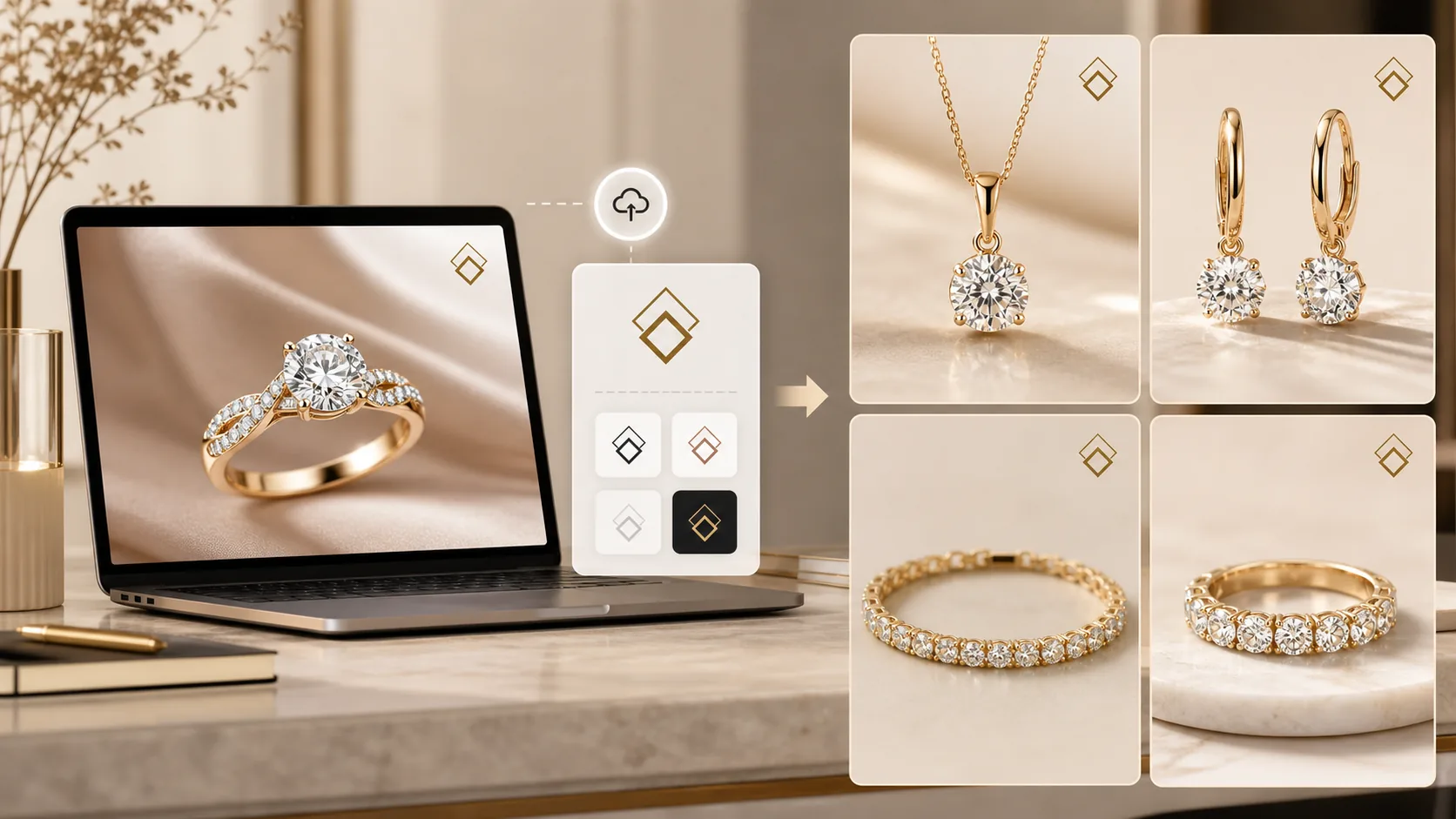
Jewellery sellers do not only need beautiful product photos. They also need every image to feel like it belongs to their own store. A jewellery photo travels further than almost any other product photo: it gets forwarded on WhatsApp, screenshotted from Instagram, saved from a marketplace listing and reshared by resellers. Every one of those journeys is either building your brand or building nobody’s.
Jewel AI Studio supports a simple logo upload workflow so that generated jewellery images can be downloaded with your brand logo already applied — no design tool, no template, no per-image editing step.
Why logo branding matters more in jewellery than elsewhere
Think about how a jewellery purchase actually starts in most Indian households: someone sees a piece — in a WhatsApp group, on a cousin’s Instagram story, in a forwarded catalogue — and asks “where is this from?”. If the image carries your logo, that question answers itself. If it does not, the sale belongs to whoever happens to reply first.
Resellers make this even more important. Many small jewellery businesses sell through networks of resellers who forward product images to their own customers. A subtle, consistent logo keeps the origin of the piece visible through every forward, without stopping resellers from doing their job.
There is also a plain trust effect. A grid of branded, consistently presented images signals an established business. The same photos without branding read as one more anonymous seller in a crowded market.
How the logo upload workflow works
The workflow adds one step to the normal generation flow. Upload your jewellery photo, choose a photoshoot style — Catalogue, Premium Studio, Model Wearing or Marketing Creative — and generate. When you download the result, your uploaded logo is applied to the exported image.
Two things are worth understanding about how this is designed. First, the logo is applied at export, to the finished image — it is not part of the AI generation itself, so there is no risk of the AI warping, restyling or “reimagining” your logo. Second, the jewellery remains untouched: the logo changes nothing about stone placement, metal colour, chain structure, pendant shape or any product detail. It is branding on top of the photo, not editing of the product.
Upload the logo once and it stays available in your account for every future download, which is what makes the consistency practical: you are not re-adding branding image by image.
Preparing a logo file that looks professional
The quality ceiling of branded exports is set by the logo file you upload, so it is worth five minutes of preparation. Use a PNG with a transparent background — a logo sitting inside a white box looks like a sticker slapped on the photo. If you only have a JPEG on a white background, most design tools (or the background removal built into the upload flow) can produce a transparent version.
Simple marks survive small sizes better than detailed ones. A clean wordmark or a simple monogram stays legible when the logo is placed discreetly in a corner; an ornate badge with thin lines and tiny lettering turns into noise. If your full logo is complex, consider uploading a simplified version just for photo branding.
Contrast matters too. Jewellery photos tend to have either very light backgrounds (catalogue style) or rich dark ones (premium studio style). A mid-grey logo disappears on both. White or near-white logos work on dark scenes; dark logos work on catalogue whites. If you sell across both styles, a logo with a subtle outline or shadow survives both.
Where branded images earn their keep
WhatsApp catalogues and broadcast lists are the highest-value placement. Images there are explicitly designed to be forwarded, and the logo is what keeps a forwarded image working for you three forwards deep.
On Instagram, use branded exports for feed posts and launches. Keep the placement subtle and identical on every post — same corner, same size — because the repetition across a grid is what builds recognition, not the size of any single logo.
For ecommerce product grids, check your marketplace’s policy first: some marketplaces prohibit watermarks and logos on primary listing images. Use the unbranded export as the marketplace primary image and branded versions everywhere the image might travel — social, WhatsApp, catalogues, lookbooks and reseller previews.
A note on the reference photo
Logo branding improves presentation, but it cannot rescue a weak source image. The generated photo still depends on a clear reference where stones, prongs, clasps, chains, links and metal texture are visible. A sharp phone photo in decent light is enough; a blurry one is not. Brand the best version of the photo, not the first version.
FAQ
Can I upload my own logo to Jewel AI Studio?
Yes. You can upload your brand logo once and use it when downloading generated jewellery images, so your visuals carry your store identity on every export.
Will adding a logo change the jewellery design?
No. The logo is applied to the exported image after generation. The jewellery design comes from your uploaded reference photo and is not affected by the logo step.
What logo file works best?
A clean, high-contrast PNG with a transparent background. Simple wordmarks and monograms stay legible at small sizes; complex badges with fine detail do not.
Should marketplace listing images carry a logo?
Check the marketplace policy first — several prohibit logos or watermarks on primary listing images. Use unbranded exports there and branded exports for WhatsApp, Instagram and catalogues.
About the author
Dharm Patel is the founder of Jewel AI Studio, an AI jewellery photoshoot platform built for jewellers, jewellery shops and online sellers in India and worldwide. He writes practical guides on jewellery product photography, AI workflows and selling visuals.